
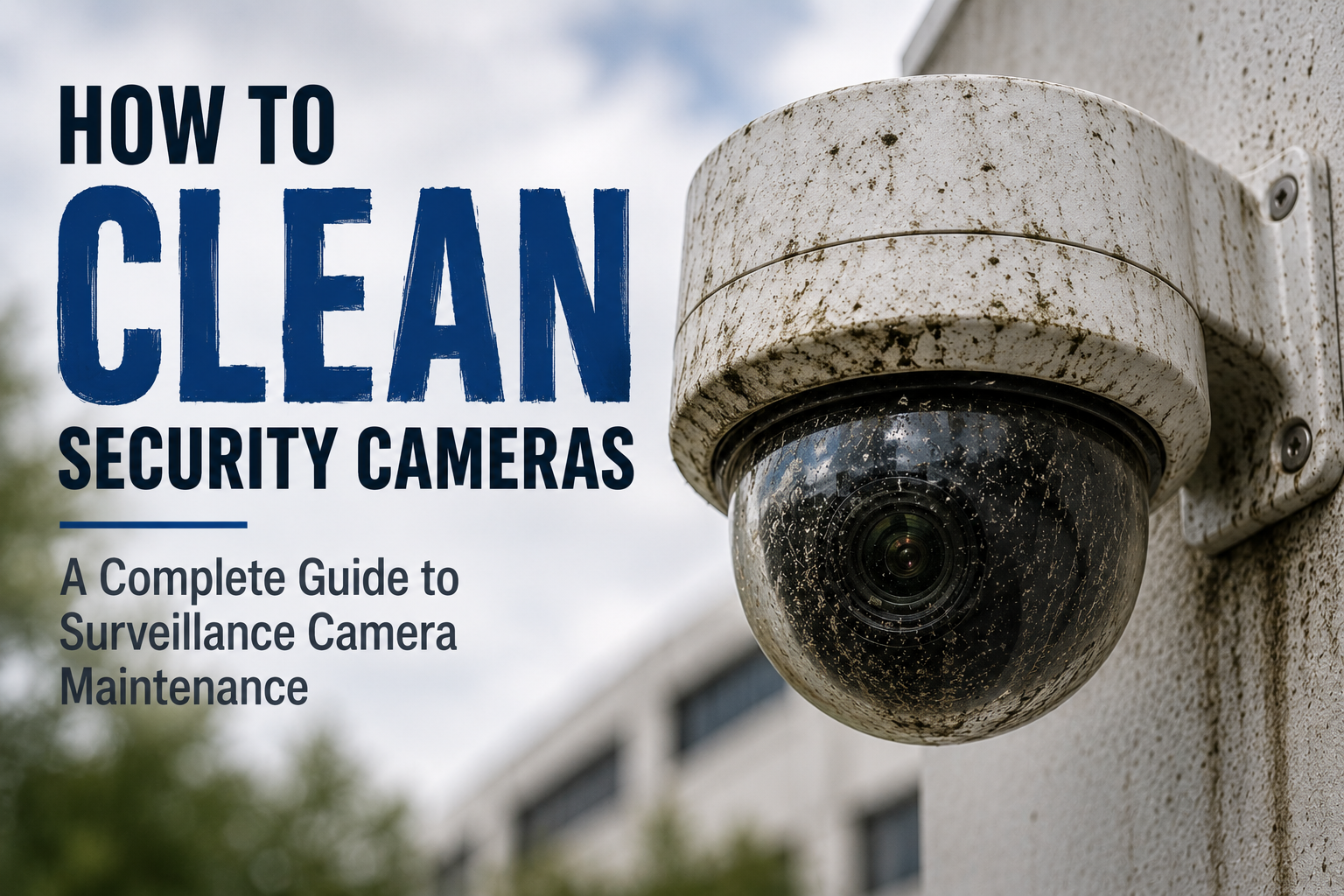
How to Clean Security Cameras: A Complete Guide to Surveillance Camera Maintenance
Learn how to properly clean and maintain security cameras for clearer video and more reliable surveillance. This guide covers cleaning methods, maintenance best practices, and how to keep commercial security cameras performing their best.
Security cameras are installed to provide clear, reliable video when it matters most. But even the best surveillance camera can lose effectiveness when dirt, dust, pollen, water spots, insects, grease, and other contaminants build up on the lens or dome.
That makes security camera cleaning and routine surveillance camera maintenance an important part of maintaining any commercial video surveillance system.
The good news? Cleaning security cameras doesn't have to mean dragging out a ladder, renting a lift, or turning a simple maintenance task into a major project.
This guide explains how to clean security cameras safely and effectively, how often cameras should be cleaned, what products should be used, and how organizations can build camera cleaning into a preventative maintenance program.
Why Do Security Cameras Need to Be Cleaned?
Outdoor and indoor security cameras are constantly exposed to their environments.
Outdoor cameras can collect:
Dust and dirt
Pollen
Rain and mineral deposits
Road grime
Insects and spider webs
Bird droppings
Landscaping debris
Industrial contaminants
Indoor surveillance cameras aren't immune either. Cameras installed in warehouses, manufacturing facilities, grocery stores, parking garages, commercial kitchens, transportation facilities, schools, and other environments can accumulate dust, grease, and airborne contaminants.
The problem is simple:
A dirty security camera can still be online and recording while producing compromised video.
That means a camera may appear completely operational from the video management system even though the physical condition of the lens or dome is reducing image quality.
What Happens When a Security Camera Lens Gets Dirty?
Contamination on a security camera lens, dome, or protective cover can affect video in several ways.
A dirty camera may produce:
Blurry or hazy video
Reduced image detail
Glare
Distorted nighttime images
Reduced contrast
Poor infrared performance
Unwanted reflections
Obstructions in the camera's field of view
These issues can become particularly noticeable at night.
Infrared illumination can reflect from dirt, moisture, dust, or other contaminants on the camera surface, potentially creating glare or haze in the image.
For organizations using video analytics, maintaining a clear camera view is also important because analytics depend on the images being delivered by the camera.
How Often Should Security Cameras Be Cleaned?
There is no single cleaning schedule that works for every surveillance system.
For many commercial facilities, inspecting and cleaning security cameras at least several times per year is a reasonable starting point. Cameras in harsher environments may require more frequent attention.
Factors that can increase cleaning frequency include:
Outdoor exposure
Heavy pollen
Construction activity
Manufacturing environments
Dusty warehouses
High-traffic areas
Coastal environments
Road salt
Parking structures
Food preparation areas
Insects and spider activity
Instead of relying exclusively on a calendar, organizations should incorporate physical camera inspection into their regular preventative maintenance program.
How to Clean a Security Camera
The goal when cleaning a surveillance camera is to remove contaminants without damaging the camera surface, protective coatings, seals, or surrounding equipment.
Step 1: Inspect the Camera
Before cleaning, visually inspect the camera.
Look for:
Dirt or debris
Cracks or damage
Loose mounting hardware
Water intrusion
Spider webs
Insect activity
Damaged housings
Obstructions
Changes in camera position
Cleaning provides an excellent opportunity to perform a basic physical inspection of the camera installation.
Step 2: Use the Right Cleaning Solution
Avoid assuming that ordinary household glass cleaner is appropriate for surveillance equipment.
Camera domes and optical surfaces may contain plastics, coatings, or materials that can be affected by aggressive chemicals.
Use an optics-safe cleaning solution designed for sensitive optical surfaces and compatible with the camera manufacturer's recommendations.
CameraShine cleaning solution, for example, is formulated without ammonia or alcohol and is designed specifically for cleaning surveillance camera surfaces.
Step 3: Use Clean Microfiber Material
Microfiber is effective for removing contaminants from optical surfaces while minimizing the possibility of scratching.
Always make sure the microfiber material itself is clean.
Dragging embedded dirt or debris across a camera dome can potentially damage the surface.
Step 4: Clean the Camera Surface Carefully
Apply the appropriate cleaning solution to the cleaning material rather than saturating the camera.
Gently clean the exposed optical surface until dirt, fingerprints, pollen, water spots, or other contaminants have been removed.
Avoid excessive pressure.
Step 5: Verify the Camera Image
Cleaning shouldn't end when the camera looks clean from the ground.
Verify the live video after cleaning.
Check:
Image clarity
Focus
Camera position
Field of view
Glare
Obstructions
Nighttime or IR performance when applicable
This confirms that the maintenance actually improved the camera's usable image.
How Do You Clean Security Cameras That Are High Off the Ground?
This is where traditional camera maintenance can become difficult.
Many commercial surveillance cameras are installed 10, 15, 20 feet or more above the ground. Historically, reaching those cameras could require:
Ladders
Scissor lifts
Bucket trucks
Additional personnel
Special access equipment
For a large facility with dozens or hundreds of cameras, this can turn routine camera cleaning into a significant maintenance project.
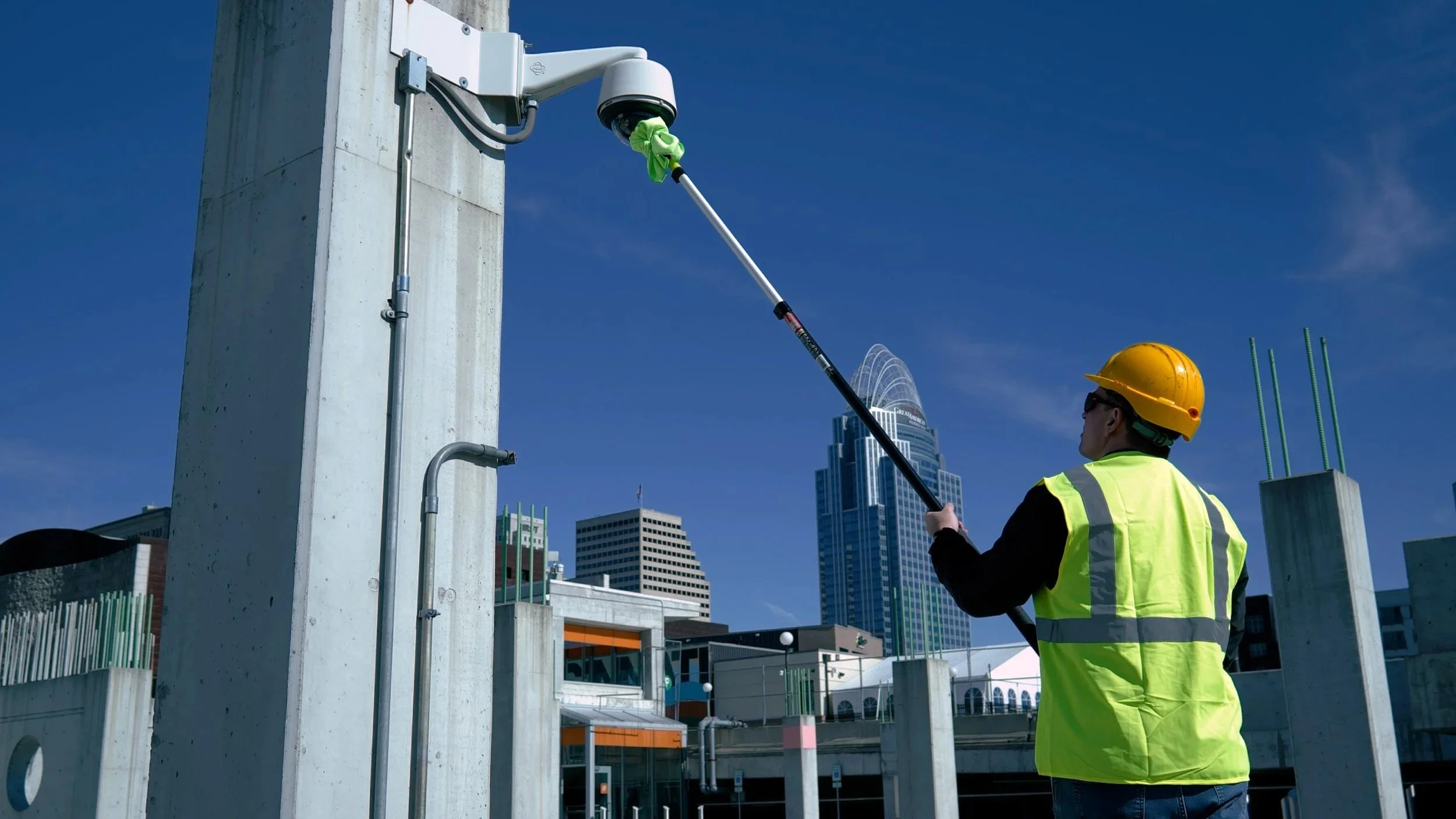
Ground-based security camera cleaning tools provide another option.
CameraShine was developed specifically to allow technicians and facility teams to clean many surveillance cameras from the ground using purpose-built cleaning attachments and extension poles.
The CameraShine PRO Surveillance Camera Cleaning Kit includes specialized tools for common dome and bullet-style surveillance cameras, microfiber cleaning surfaces, and optics-safe cleaning solution.
When paired with an appropriate extension pole, technicians can reach many elevated cameras without using a ladder or lift.
This can make routine camera cleaning faster, easier, and safer.
Security Camera Cleaning Should Be Part of Preventative Maintenance
Cleaning is important, but a professional surveillance camera maintenance program should go beyond wiping the camera lens.
A comprehensive preventative maintenance visit should consider four major areas:
1. Physical Inspection and Optics
Inspect the camera, housing, mounting hardware, cabling, surrounding environment, and optical surfaces.
Clean the camera when necessary and confirm there are no physical problems affecting its operation.
2. Hardware and Firmware
Confirm cameras and related surveillance equipment are operating properly and review firmware, configuration, connectivity, and manufacturer recommendations where appropriate.
3. Image Performance and Analytics
Verify that the camera is still producing the image the system was designed to capture.
Check field of view, focus, lighting conditions, obstructions, and applicable video analytics.
4. Documentation
Document maintenance activity.
For commercial security systems, good documentation helps organizations understand what was inspected, what was cleaned, what problems were discovered, and what corrective action may be required.
Why Camera Cleaning Matters for Commercial Security Systems
Organizations invest significant amounts of money in surveillance technology.
But the value of that investment ultimately depends on the video the system produces.
A camera can have excellent resolution, advanced low-light capabilities, sophisticated analytics, and premium optics—but if dirt or contamination obstructs the image, the system may not perform as intended.
Regular camera maintenance is especially important for organizations operating large surveillance systems, including:
Retail stores
Schools and universities
Hospitals and healthcare facilities
Warehouses
Manufacturing facilities
Government buildings
Airports and transportation facilities
Casinos
Distribution centers
Corporate campuses
Parking facilities
Critical infrastructure
For these organizations, surveillance camera cleaning should not be an occasional reaction to bad video.
It should be part of a repeatable maintenance process.
Security Integrators Can Turn Camera Cleaning Into a Service Opportunity
Security camera maintenance also creates an opportunity for security integrators and service providers.
Preventative maintenance programs can incorporate camera cleaning alongside system inspections, firmware reviews, image verification, documentation, and other recurring services.
Instead of waiting for customers to report poor video quality, integrators can proactively help maintain the physical and operational condition of surveillance systems.
That creates value for the customer while helping integrators develop stronger recurring service relationships.
Frequently Asked Questions About Security Camera Cleaning
What should I use to clean a security camera lens?
Use a clean microfiber material and an optics-safe cleaning solution that is compatible with the camera surface and manufacturer's recommendations. Avoid aggressive household chemicals that could damage plastics or optical coatings.
Can you use glass cleaner on security cameras?
Standard household glass cleaners may contain chemicals that aren't appropriate for camera domes, plastics, or optical coatings. An optics-safe solution designed for sensitive surfaces is generally a better choice.
Can you clean security cameras without a ladder?
Many cameras can be cleaned from the ground using specialized security camera cleaning tools attached to an extension pole. The feasibility depends on camera height, location, mounting configuration, and accessibility.
How often should outdoor security cameras be cleaned?
Cleaning frequency depends on the environment. Outdoor cameras exposed to pollen, dust, insects, weather, road debris, or industrial contaminants may need cleaning several times per year or more frequently.
Why does my security camera look blurry at night?
Dirt, moisture, dust, spider webs, or other contaminants can contribute to nighttime image problems, particularly with infrared cameras. IR illumination can reflect from contaminants near the lens or dome and create haze or glare.
Should security cameras be professionally maintained?
Commercial surveillance systems benefit from scheduled preventative maintenance. In addition to cleaning, maintenance can include physical inspection, image verification, hardware checks, firmware review, analytics validation, and documentation.
A Better Way to Maintain Surveillance Cameras
CameraShine was created around a simple idea:
Security cameras should be maintained with the same level of attention given to the rest of the security system.
Our purpose-built surveillance camera cleaning tools help security professionals and facility teams clean cameras more efficiently while reducing the need for ladders and lifts.
From a single commercial building to an enterprise surveillance system with thousands of cameras, establishing a repeatable camera maintenance process can help protect the organization's investment and improve the reliability of the video being captured.
Because when an incident happens, discovering that a camera was dirty is already too late.
Keep Your Security Cameras Clear
The CameraShine PRO Surveillance Camera Cleaning Kit gives security technicians, integrators, facility managers, and end users a purpose-built way to clean surveillance cameras from the ground.
No improvised cleaning tools. No unnecessary lift for a simple cleaning task. No ignoring dirty cameras until image quality becomes a problem.
Clear cameras. Better video. Smarter maintenance.
Learn more about CameraShine PRO and build camera cleaning into your surveillance maintenance program at CameraShine.com.
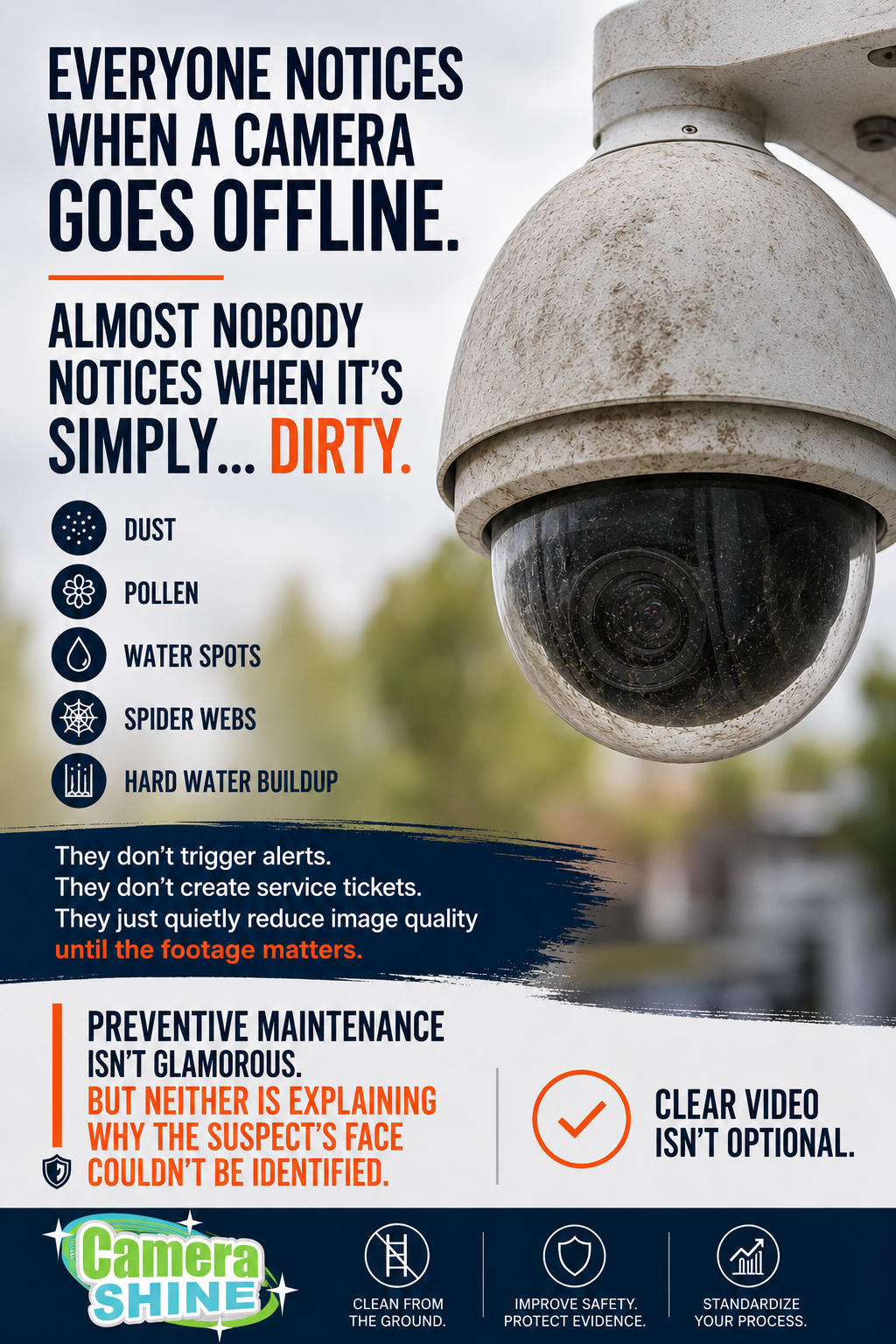
Security Camera Maintenance: The Complete Guide to Protecting Your Surveillance Investment
Protect your surveillance investment with a proactive camera maintenance program. Learn how routine cleaning improves image quality, enhances AI analytics, reduces false alarms, and extends the life of your security cameras.
Security cameras don't fail overnight—they slowly become less effective.
When organizations invest in a modern surveillance system, they focus on camera selection, storage capacity, AI analytics, and cybersecurity. Yet one of the most common reasons a surveillance system underperforms has nothing to do with the technology itself.
It's the camera lens.
Dust, pollen, spider webs, rain residue, fingerprints, bird droppings, and other environmental contaminants gradually reduce image quality. The decline is often so gradual that it goes unnoticed—until an important incident occurs and the footage isn't as clear as expected.
Routine security camera maintenance is one of the simplest and most cost-effective ways to protect your investment, improve image quality, and ensure your surveillance system performs when it matters most.
Why Security Camera Maintenance Matters
A surveillance camera is only valuable if it captures clear, usable video.
Every layer of dirt or debris reduces the amount of light reaching the camera sensor. Over time, this can cause:
Blurry images
Reduced facial recognition capability
Difficulty identifying vehicles
Poor nighttime performance
Increased glare from infrared LEDs
Lower AI detection accuracy
Missed evidence during investigations
Whether you're protecting a retail store, warehouse, school, hospital, manufacturing facility, or corporate campus, poor image quality creates unnecessary risk.
The Hidden Cost of Dirty Security Cameras
Many organizations assume a surveillance system is "working" simply because the cameras are online.
However, cameras can continue recording while producing poor-quality images.
The result may include:
Longer investigations
Missed security events
Increased false alarms
Reduced confidence in AI analytics
Additional technician visits
Higher maintenance costs
Liability concerns if critical footage is unusable
Compared to the cost of replacing cameras or troubleshooting software, preventive maintenance is inexpensive and delivers immediate value.
What Causes Security Cameras to Get Dirty?
Outdoor security cameras face constant exposure to the environment.
Common contaminants include:
Dust and dirt
Pollen
Spider webs
Insects
Rain spots
Hard water deposits
Tree sap
Bird droppings
Salt spray in coastal environments
Fingerprints left during servicing
Indoor cameras aren't immune either. Manufacturing dust, warehouse debris, cooking grease, and HVAC particles can accumulate over time and reduce image clarity.
How Dirty Cameras Affect AI Video Analytics
Modern surveillance systems increasingly rely on artificial intelligence to detect people, vehicles, license plates, and unusual activity.
AI performs best when it receives clean, high-quality images.
Dirty lenses reduce contrast and sharpness, making it more difficult for analytics software to identify objects accurately. This can lead to:
Missed detections
False positives
Lower confidence scores
Poor people-counting accuracy
Reduced facial recognition performance
Less reliable license plate recognition
Simply put, AI can only analyze what the camera can clearly see.
How Often Should Security Cameras Be Cleaned?
There isn't a one-size-fits-all schedule, but these guidelines work well for most organizations.
Office buildings: Every 6 months
Retail stores: Quarterly
Warehouses: Quarterly
Schools and universities: Quarterly
Healthcare facilities: Quarterly
Manufacturing plants: Monthly to quarterly
Outdoor parking lots: Monthly
Industrial facilities: Monthly
Facilities located near construction sites, highways, agricultural areas, or coastal environments may require more frequent inspections.
A good rule of thumb is simple:
If the environment gets dirty, your cameras do too.
What Should Be Included in a Camera Maintenance Program?
A complete preventive maintenance visit should include more than wiping off the lens.
A thorough inspection includes:
Cleaning the camera lens
Cleaning the housing
Removing spider webs
Checking camera positioning
Inspecting mounts and hardware
Verifying image quality
Confirming focus
Testing infrared performance
Checking firmware status
Confirming recording functionality
Verifying AI analytics are operating correctly
Documenting maintenance activities
Creating a standardized maintenance checklist helps ensure every camera receives consistent service.
The Safest Way to Clean Security Cameras
Historically, cleaning elevated cameras meant using ladders or lifts.
While sometimes necessary, these methods increase labor costs, setup time, and safety risks.
Today, many dome and bullet cameras can be cleaned safely from the ground using specialized surveillance cleaning tools designed specifically for security cameras.
Ground-based cleaning offers several advantages:
Improved technician safety
Faster maintenance visits
Reduced equipment costs
Less disruption to business operations
More consistent preventive maintenance
Because cleaning becomes quicker and easier, organizations are more likely to maintain their systems on a regular schedule.
Common Mistakes to Avoid
Many well-intentioned cleaning methods can actually damage surveillance equipment.
Avoid:
Paper towels
Abrasive cloths
Household glass cleaners containing ammonia
Alcohol-based cleaners not approved for optics
Excessive pressure on the lens
Spraying liquid directly onto the camera
Instead, use microfiber materials and cleaners designed specifically for optical surfaces.
Protecting the lens coating is just as important as removing the dirt.
Preventive Maintenance Delivers Long-Term Value
Routine camera maintenance provides measurable benefits throughout the life of a surveillance system.
Organizations often experience:
Better image quality
Improved AI analytics performance
More reliable incident investigations
Reduced service calls
Longer equipment life
Increased technician efficiency
Better return on surveillance investments
For security integrators, offering preventive camera maintenance can also create recurring service revenue while helping customers maximize the performance of their systems.
Why CameraShine Was Created
At CameraShine, we saw a common challenge across the security industry.
Technicians were climbing ladders simply to wipe a camera lens—a task that often took only a few seconds but introduced unnecessary risk and additional labor costs.
CameraShine PRO was designed to help technicians clean many surveillance cameras safely from the ground using purpose-built tools, optical-safe cleaning solution, and reusable microfiber bonnets.
The goal isn't just faster cleaning.
It's helping organizations make preventive maintenance practical, repeatable, and safer.
Frequently Asked Questions
How often should security cameras be cleaned?
Most commercial surveillance cameras should be inspected at least quarterly. Outdoor cameras in harsh environments may require monthly cleaning.
Do dirty security cameras affect AI analytics?
Yes. Dirty lenses reduce image quality, making it harder for AI software to accurately detect people, vehicles, and other objects.
What's the safest way to clean elevated security cameras?
Whenever possible, use purpose-built ground-based cleaning tools that eliminate the need for ladders or lifts while allowing technicians to safely reach elevated cameras.
Can I use Windex or household glass cleaner on a security camera?
It's generally best to avoid household cleaners that contain ammonia or harsh chemicals. Use cleaners designed for optical equipment along with clean microfiber materials.
Why is preventive maintenance important?
Preventive maintenance helps maintain image quality, supports reliable evidence collection, improves AI performance, extends equipment life, and reduces long-term service costs.
Final Thoughts
Security cameras are one of the most valuable assets in any physical security program—but only if they consistently produce clear, reliable video.
Preventive maintenance is no longer just a maintenance task. It's an essential part of protecting your investment, improving AI-driven analytics, reducing operational risk, and ensuring critical moments are captured with clarity.
A clean camera doesn't just produce a better picture.
It delivers better security.
The Best Way to Clean Security Cameras
If you’ve ever searched “how to clean security cameras” or asked an AI assistant “what’s the safest way to clean outdoor cameras?” — you’re not alone.
Dirty security cameras are one of the most overlooked reasons for poor video quality. Whether it’s dust, water spots, pollen, or spider webs, even a small obstruction can blur footage and reduce the effectiveness of your entire security system.
In this guide, we’ll break down the safest, most effective ways to clean security cameras — and when it makes sense to use a professional solution like CameraShine.
Why Cleaning Your Security Cameras Matters
Security cameras are only as good as the footage they capture.
Common issues caused by dirty lenses include:
Blurry or hazy video
Glare from sunlight or headlights
Reduced night vision clarity
Missed details like faces or license plates
Search trends show people frequently ask:
“Why is my security camera blurry?”
“How do I fix cloudy CCTV footage?”
“Can dirt affect security cameras?”
The answer: yes — and it happens faster than most people think.
Outdoor cameras are especially vulnerable to:
Dust and dirt buildup
Rain spots and mineral residue
Insects and spider webs
Pollen and pollution
What NOT to Use on Security Cameras
Many people ask AI tools things like “Can I use Windex on my security camera?” or “Is it okay to pressure wash cameras?”
Avoid these common mistakes:
❌ Harsh chemicals (like ammonia-based cleaners)
❌ Pressure washers or high-pressure water
❌ Abrasive cloths or brushes
❌ Spraying liquid directly onto the device
These can damage coatings, seals, or even void warranties.
The Hidden Problem: Cleaning Isn’t One-and-Done
Here’s what most guides don’t tell you:
Cleaning your security cameras once doesn’t solve the problem long-term.
Depending on your environment, cameras can get dirty again in just weeks. Businesses and properties in high-traffic, dusty, or humid areas often struggle to keep lenses consistently clear.
That’s why many people are now searching:
“How often should security cameras be cleaned?”
“Is there a maintenance service for security cameras?”
“Automatic security camera cleaning solutions”
A Smarter Solution: CameraShine PRO - Surveillance Cleaning Kit
Integrators, facilities teams, and multi-site operators are turning to CameraShine to restore clear footage fast with a safe, ground-level cleaning system built for real-world surveillance maintenance.
CameraShine is designed specifically to:
Keep security camera lenses clean 24/7
Prevent buildup before it impacts footage
Reduce maintenance time and costs
Ensure consistent, clear video quality
This is especially valuable for:
Commercial properties
Multi-site operations
Warehouses and industrial facilities
Schools, campuses, and healthcare environments
Final Thoughts: Clear Cameras, Better Security
When people search “how to improve security camera quality,” the answer is often simple: start with a clean lens.
But keeping cameras clean consistently is the real challenge.
That’s where CameraShine changes the game — with a ground level cleaning system that can clean a camera in less than 30 seconds without lifts, ladders or downtime.
Want to See CameraShine in Action?
If you’re tired of blurry footage and constant maintenance, it may be time to upgrade how your cameras stay clean.
Contact us today to learn how CameraShine keeps your cameras clear — all the time.
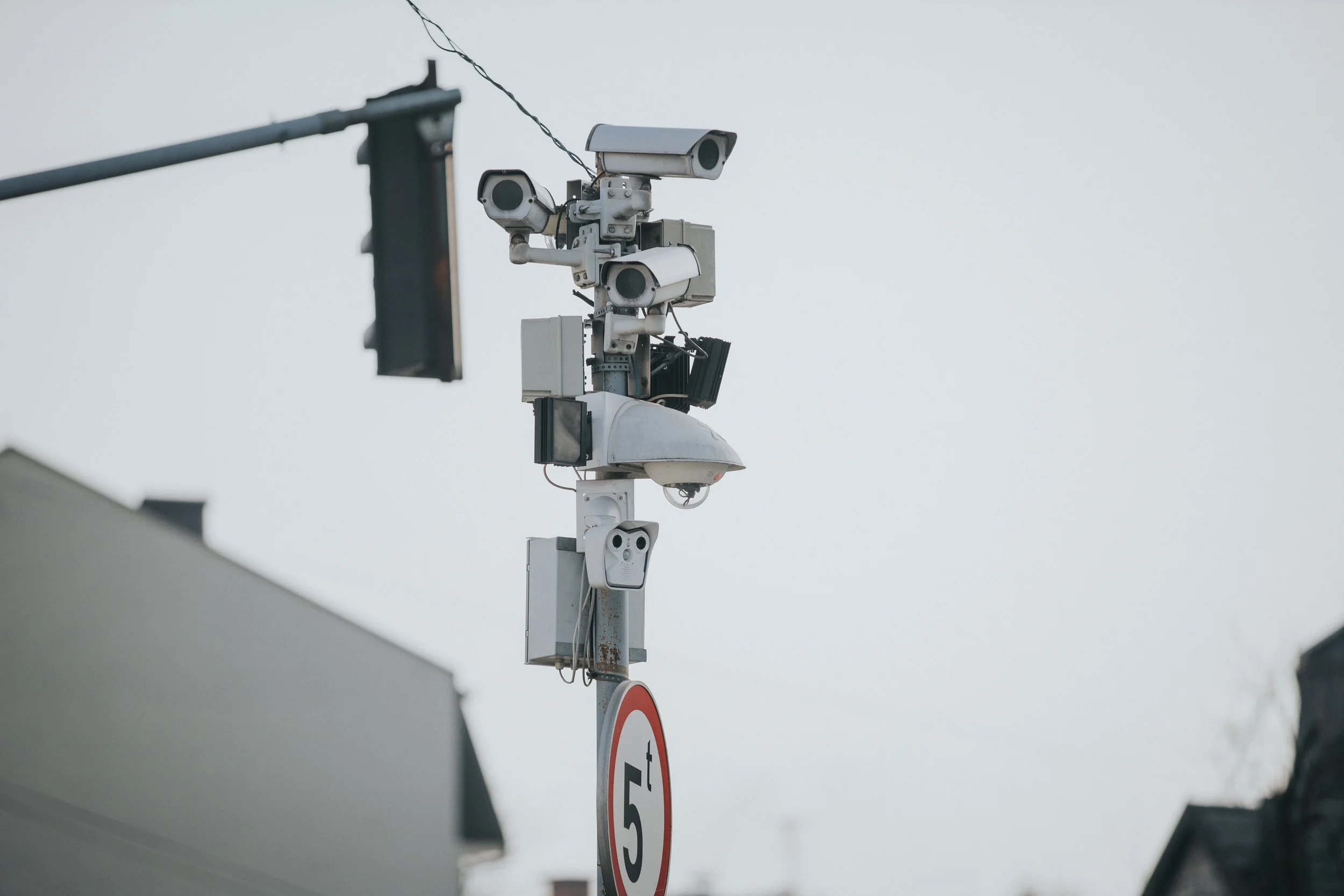
The Hidden Cost of Dirty Security Cameras: How Image Degradation Impacts Liability, Response Time, and Trust
Most organizations think of security cameras as a “set it and forget it” investment. Once installed, they’re expected to perform flawlessly—day or night, rain or shine. But there’s a hidden vulnerability that often goes unnoticed until it’s too late: image degradation caused by dirty or obstructed lenses.
Dust, pollen, exhaust residue, salt spray, water spots, spider webs, and environmental grime all quietly erode camera performance over time. While the lens may appear “mostly clear” to the naked eye, even minor obstructions can significantly impact image quality, especially during critical moments.
When Image Quality Becomes a Liability
In high-risk or regulated environments, unclear footage isn’t just inconvenient—it can become a liability.
Investigations stall when faces, license plates, or actions are not clearly visible
Incidents are harder to verify, increasing disputes and insurance claims
Response times slow when security teams lack visual clarity
Trust erodes with stakeholders who rely on camera footage for safety and accountability
In some cases, unusable footage can expose organizations to legal risk, compliance failures, or reputational damage.
The Compounding Effect of Environmental Exposure
Outdoor and semi-outdoor cameras face a constant battle with their surroundings. Weather, air quality, traffic pollution, and even landscaping choices all play a role in how quickly lenses become compromised.
The challenge? Manual cleaning doesn’t scale.
Sending staff or contractors to physically clean cameras is:
Labor-intensive
Inconsistent
Reactive rather than preventative
Potentially unsafe in elevated or hard-to-reach locations requiring lifts and ladders
As camera networks grow, so does the gap between perceived coverage and actual visual reliability.
Why Proactive Camera Care Matters
Clear footage isn’t just about sharper images—it’s about operational confidence.
When cameras are consistently clean:
Security teams can make faster, more accurate decisions
Footage is more reliable for audits, investigations, and evidence
Maintenance costs decrease over time
Systems perform as originally designed, without blind spots
This is where proactive, automated lens maintenance changes the equation.
CameraShine: Designed for Reliability, Not Reaction
CameraShine was built to solve a problem many organizations didn’t realize they had until it affected them. By delivering easy-to-use, safe, on-demand camera lens cleaning, CameraShine ensures that image clarity is maintained before an incident occurs—not after.
Instead of relying on schedules, guesswork, or manual labor, CameraShine keeps cameras mission-ready in real-world conditions where clarity can’t be optional.
Seeing Risk Clearly
Security systems are only as effective as the images they produce. A dirty lens can turn a critical asset into a false sense of protection.
As organizations invest more in surveillance, analytics, and AI-driven monitoring, one truth remains constant: clean lenses are foundational to everything that follows.
Because when clarity matters most, there’s no second chance to capture the moment - something our team has built every solution around.